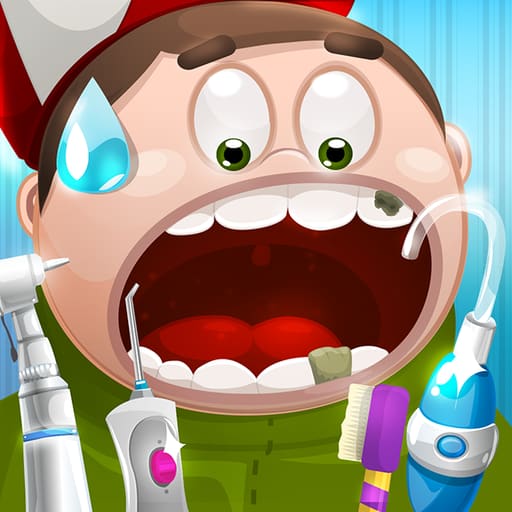
 Doctor Teeth 2
Clean plaque, treat cavities, and restore bright smiles in Doctor Teeth 2, a casual dental care simulation game that plays free in your browser.
Doctor Teeth 2 Unblocked



























What is Doctor Teeth 2?
Doctor Teeth 2 is a casual dental care simulation developed by IP Eliseenko Maksim Andreevich and released in October 2021. Players take on the role of a clinic dentist responsible for cleaning teeth, removing stubborn plaque, and repairing cavities for various patients. The game focuses on step-by-step oral hygiene procedures, allowing you to use specialized medical instruments and observe patient reactions as you work. It runs directly in your web browser with no downloads or installation required.
Key features
- Interactive dental tools: Select and operate specialized instruments to clean buildup, fill cavities, and polish teeth.
- Built-in hint system: Tap the stethoscope button whenever you need guidance on the next required treatment step.
- Expressive patient reactions: Observe animated facial expressions and responses while performing oral care routines.
- Touch and mouse support: Play smoothly using single-tap selections or click-and-hold gestures on desktop and mobile screens.
- Casual medical simulation: Practice simulated oral care routines in a colorful, accessible clinic setting.
How to play
- Select an incoming patient to begin the dental examination.
- Inspect the mouth to identify visible plaque, tartar, and damaged teeth.
- Click or tap the appropriate instrument from the tray to equip it.
- Hold the cursor or your finger over the affected dental area to complete the treatment action.
- Use the stethoscope icon if you need a prompt showing which tool to pick next.
- Continue treating all problem areas until the patient leaves with a clean smile.
Controls
| Action | Mouse | Touch |
|---|---|---|
| Equip tool | Mouse click tool icon | Tap tool icon |
| Apply treatment | Hold mouse button on target area | Hold finger on target area |
| Request hint | Click stethoscope icon | Tap stethoscope icon |
Dental treatment mechanics
Each dental session presents specific issues requiring the correct instrument in sequence. Scraping away plaque requires steady contact across affected surfaces, while treating cavities involves cleaning and filling damaged areas. If you are unsure which tool to use, clicking the stethoscope icon highlights the required instrument. Careful application keeps the patient comfortable and completes each treatment step efficiently.
Tips and strategy
- Use the stethoscope when unsure: If a tool does not seem to work, activating the stethoscope icon immediately indicates the correct procedure.
- Maintain steady contact: Holding down the mouse button or finger continuously cleans stains faster than repeatedly clicking.
- Inspect all teeth thoroughly: Check every corner of the patient mouth so no small plaque spots or untreated cavities remain.
- Watch patient expressions: Visual cues help confirm when a tooth has been fully cleaned or repaired before switching tools.
Similar games
If you enjoy medical and casual simulation games, try these titles:
- Doctor Hero: Treat hospital patients by performing diverse medical tasks and surgical mini-games.
- Idle Success: Guide a character through personal growth, fitness routines, and career milestones.
- Kiwi Clicker: Manage a quirky production setup centered on tapping and delivering fruit.
Fans of this entry can also explore the original Doctor Teeth for more clinic challenges.
Developer and history
Doctor Teeth 2 was developed by IP Eliseenko Maksim Andreevich and debuted in October 2021 as the follow-up to the original Doctor Teeth simulation. Built for quick browser sessions across desktop and mobile devices, the game expands on simple dental hygiene gameplay with accessible controls.