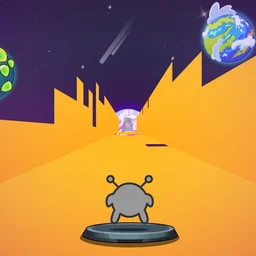
 Run 3 Editor
Build and play your own custom space tunnels in the Run 3 Editor. Place blocks, create challenging gaps, and test your platforming skills.
Run 3 Editor





















Step behind the scenes of one of the most popular browser games ever with the Run 3 Editor. Instead of just surviving the endless space tunnels, this version gives you the tools to build them yourself. You can design custom levels, place challenging gaps, and experiment with different block layouts to create the ultimate obstacle course.
Once your masterpiece is built, you can immediately jump in and playtest it. It captures the same gravity-defying, tunnel-rotating gameplay as the original Run 3, but with unlimited creative freedom to test your own platforming skills.
Controls
For PC
- Arrow Keys: Move left and right (rotates the tunnel)
- Spacebar or Up Arrow: Jump
- Mouse: Click and drag to place blocks, delete platforms, and navigate the editor menus
Tips for Building & Playing
- Start simple: Before building massive, impossible gaps, create a short sequence to get a feel for how jumping distance works in your custom tunnel.
- Test often: Switch between build and play modes frequently to make sure your jumps are actually possible to land.
- Use gravity to your advantage: Remember that players can run on the walls to rotate the level. Design paths that force the player to shift gravity rather than just jumping straight forward.